
SheepTerm icon
Sheep family · Free

The terminal built for network engineers

A native terminal client for network engineers. Its own SSH, serial consoles, per-vendor highlighting, and end-to-end encrypted sync of your hosts through your own Google account.

macOS 26.4 (Tahoe) or later · Apple Silicon · Windows 10/11 x64
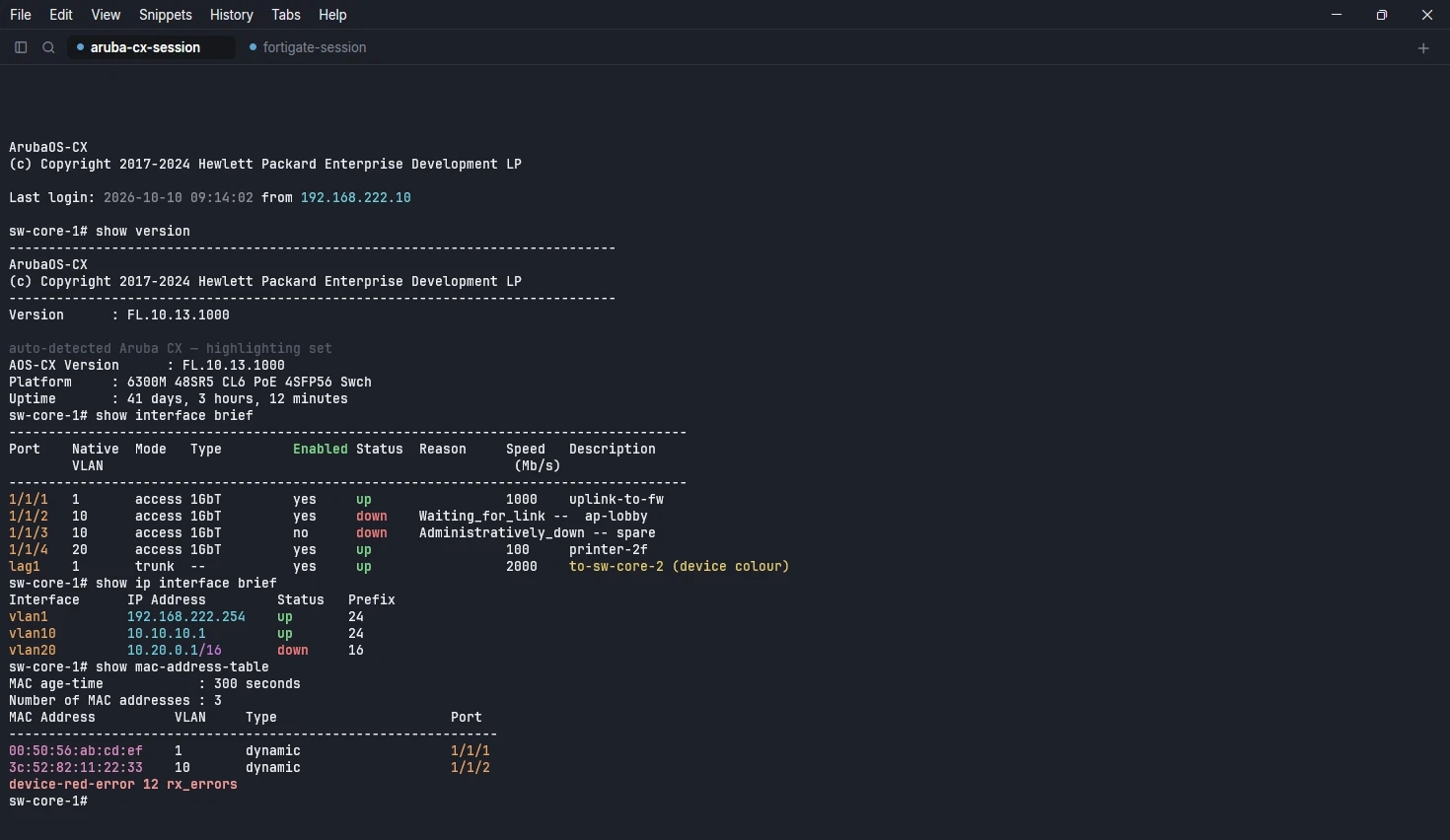
SheepTerm on macOS showing an Aruba CX session with interfaces, VLANs, addresses and MAC addresses highlighted
SheepTerm on Windows showing an Aruba CX session with interfaces, VLANs, addresses and MAC addresses highlighted

Highlighting that knows your vendor. Interfaces, VLANs, addresses, masks and MACs are coloured per device family. The family is detected from the stream, and device colours are never overridden.

Two reasons to switch

The headline features

1

Highlighting that knows your vendor

Interfaces, VLANs, IP addresses, masks, MACs and error counters are coloured the way each platform prints them, so a screen of show output reads at a glance.

  • Detected from the stream. Nothing to configure, and it never overrides a family you set yourself.
  • Device colours are never overridden. If the device sends its own colours, you see them.
  • Picked per host, or changed live from the View menu and the status bar.
  • Switch Highlight off or on for a tab from the View menu.

Families it knows

Cisco IOS / IOS-XE / NX-OSAruba CXArubaOS (Controller / MM)Huawei VRPH3C / HPE ComwareJuniper JunosPalo Alto PAN-OSFortinet FortiOSCheck Point GaiaLinux / server
Aruba CX
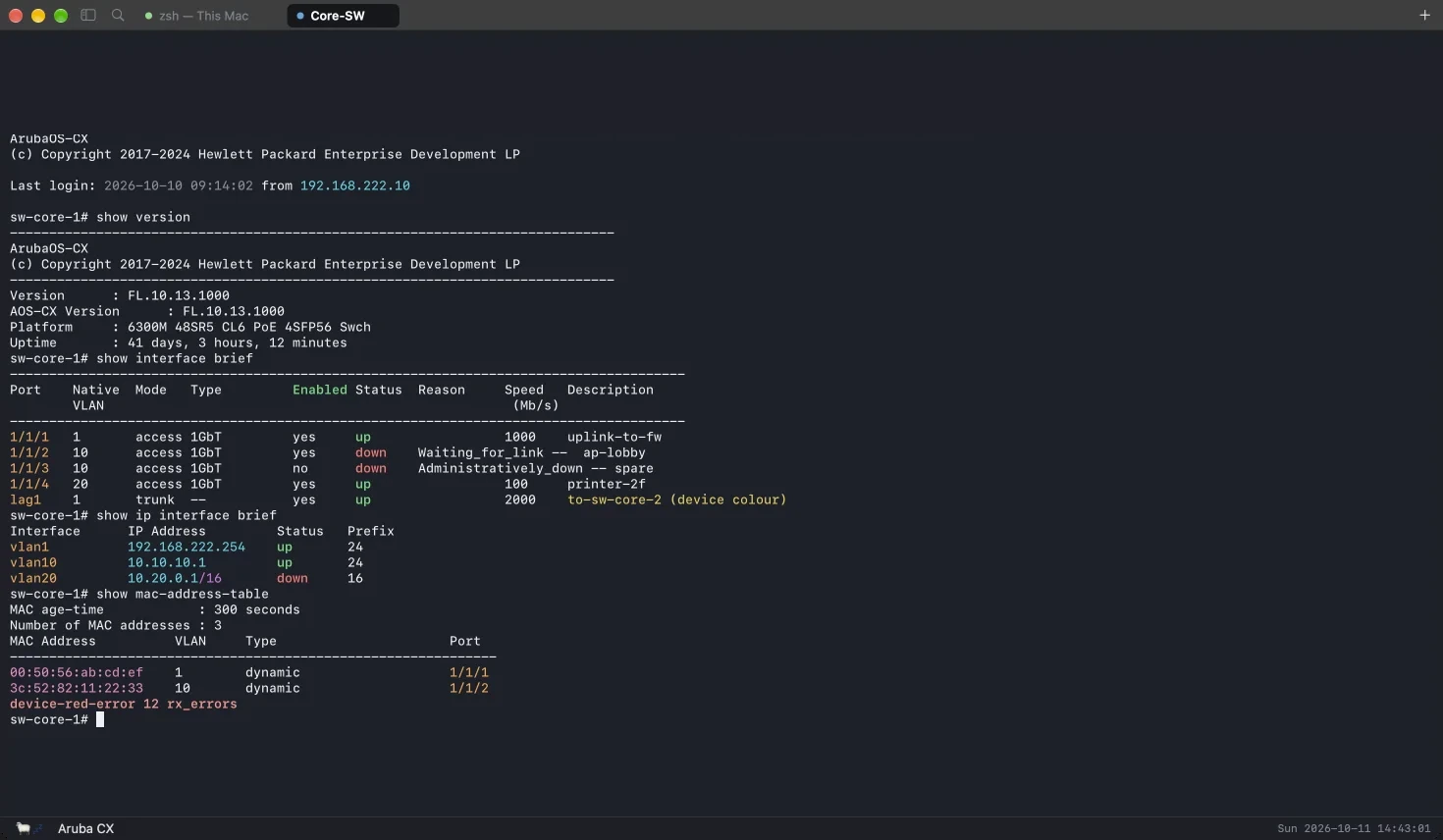
SheepTerm on macOS showing an Aruba CX session with interfaces, VLANs, addresses and MAC addresses highlighted
SheepTerm on Windows showing an Aruba CX session with interfaces, VLANs, addresses and MAC addresses highlighted
Fortinet FortiOS
FG-edge — FortiOS
FG-edge # get system status Version: FortiGate v7.4.3,build2573 (GA.F) Virus-DB: 92.07842(2026-10-10 04:35) Hostname: FG-edge Operation Mode: NAT FG-edge # get system interface physical ==[wan1] mode: static ip: 203.0.113.10 255.255.255.248 up ==[lan] ip: 192.168.222.1 255.255.255.0 up status: up ==[port5] status: down FG-edge #
2

Sign in with Google. Your hosts follow you.

Sign in with your Google account and your hosts, groups, credentials, snippets and settings follow you between your Macs and Windows PCs.

  • End-to-end encrypted with your passphrase before anything is uploaded.
  • Stored in a private app folder in your own Google Drive. Nobody else can read it, and neither can we.
  • Per-record merge, so editing different hosts on two machines never overwrites either.
  • Off until you sign in. No network is touched before that.
Your Mac
Your Google Driveprivate app folder · encrypted
Your Windows PC
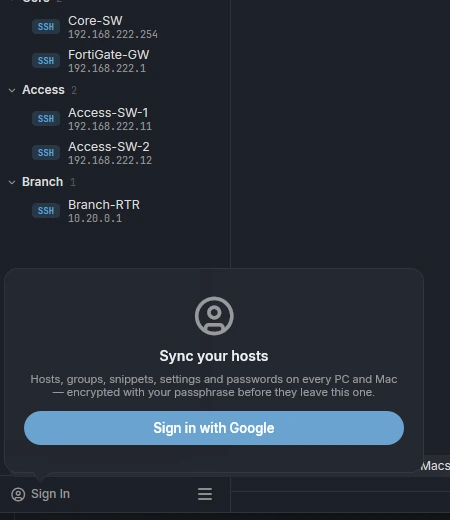
Sign in with Google card in SheepTerm
1. Sign in with GoogleThe sidebar button opens a card in the app. Sign in with Google in your browser.
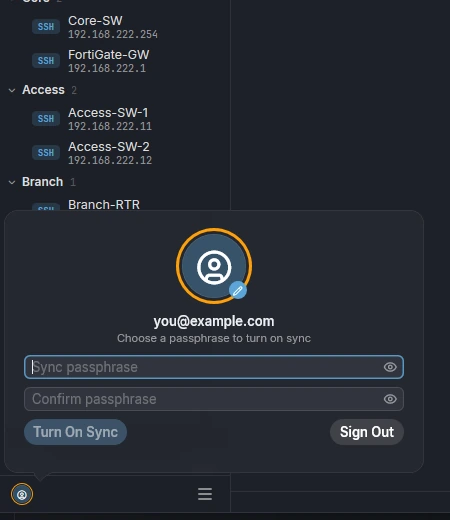
Choose a passphrase card in SheepTerm
2. Choose a passphraseThis encrypts your data on this PC before it is uploaded. Google never sees it.
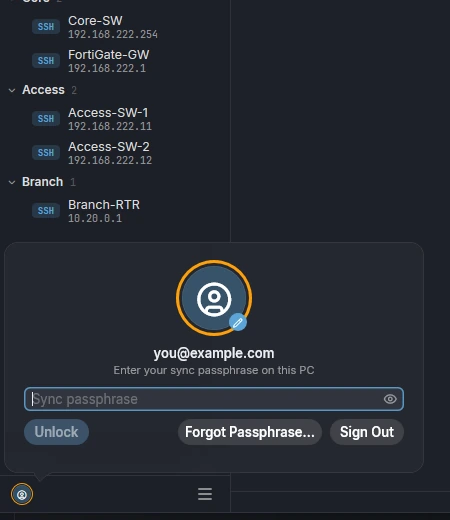
Unlock on your next PC card in SheepTerm
3. Unlock on your next PCSign in on another Mac or PC and enter the same passphrase.
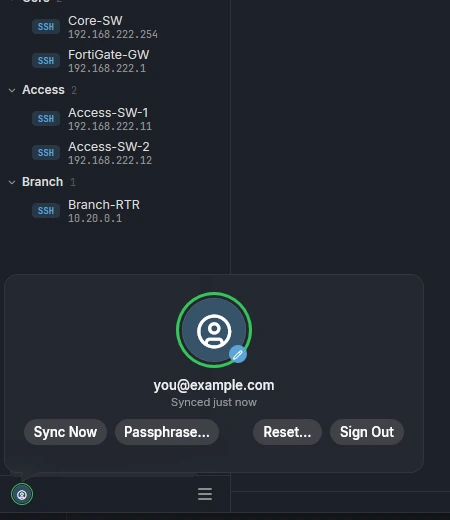
Synced card in SheepTerm
4. SyncedA green ring, the last sync time, and Sync Now whenever you want it.

Captured from SheepTerm for Windows with a test account

Features

What it does

Every session is logged

Each session is written to a plain-text log file, with the colour codes stripped, so you can open it in any editor. Tick Don't log this session on a host, or for a one-off connection, to opt out, and open the logs folder in a click.

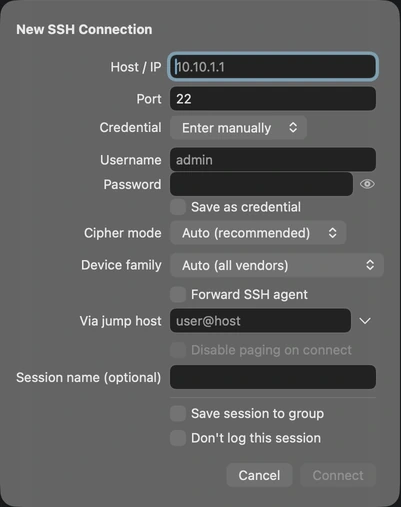
The New SSH Connection sheet on macOS with the Don't log this session checkbox
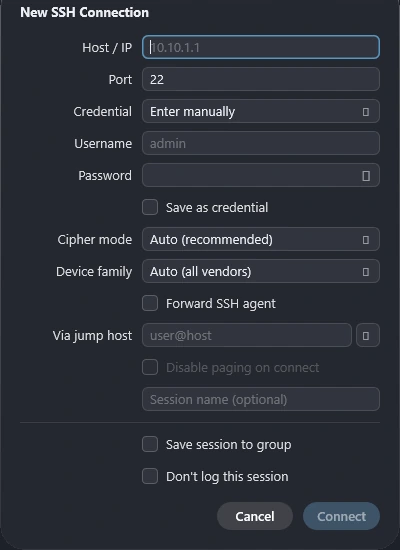
The New SSH Connection sheet on Windows with the Don't log this session checkbox

Search all your logs

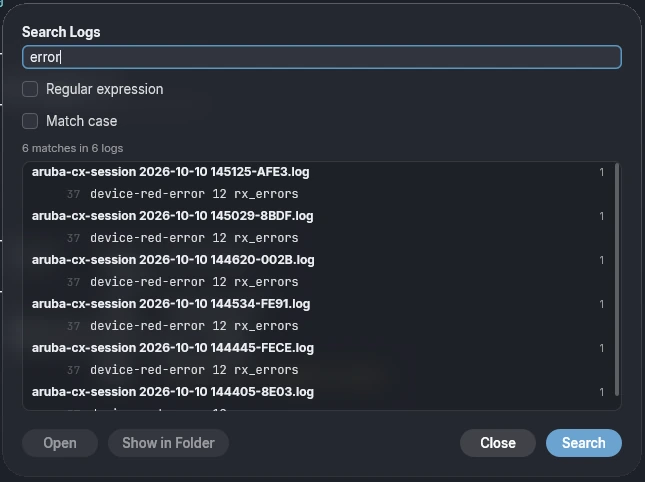
Search Logs looks through every session log at once. Turn on regular expressions or match case, and the results are grouped by log with the matching lines, ready to open or show in the folder.

The Search Logs window listing matches grouped by log file
Windows only capture

Updates built in

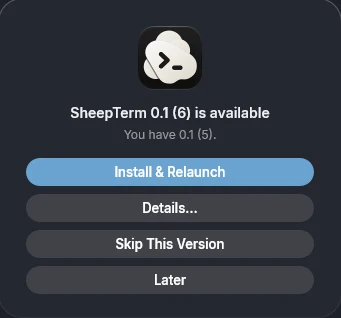
SheepTerm checks GitHub at launch and once a day and shows what is new. The download is verified against an Ed25519 signature before it is installed, then one click on Install and Relaunch does the rest, with your data untouched.

The update offer card with Install and Relaunch, Details, Skip This Version and Later
Windows only capture

Sign in right in the tab

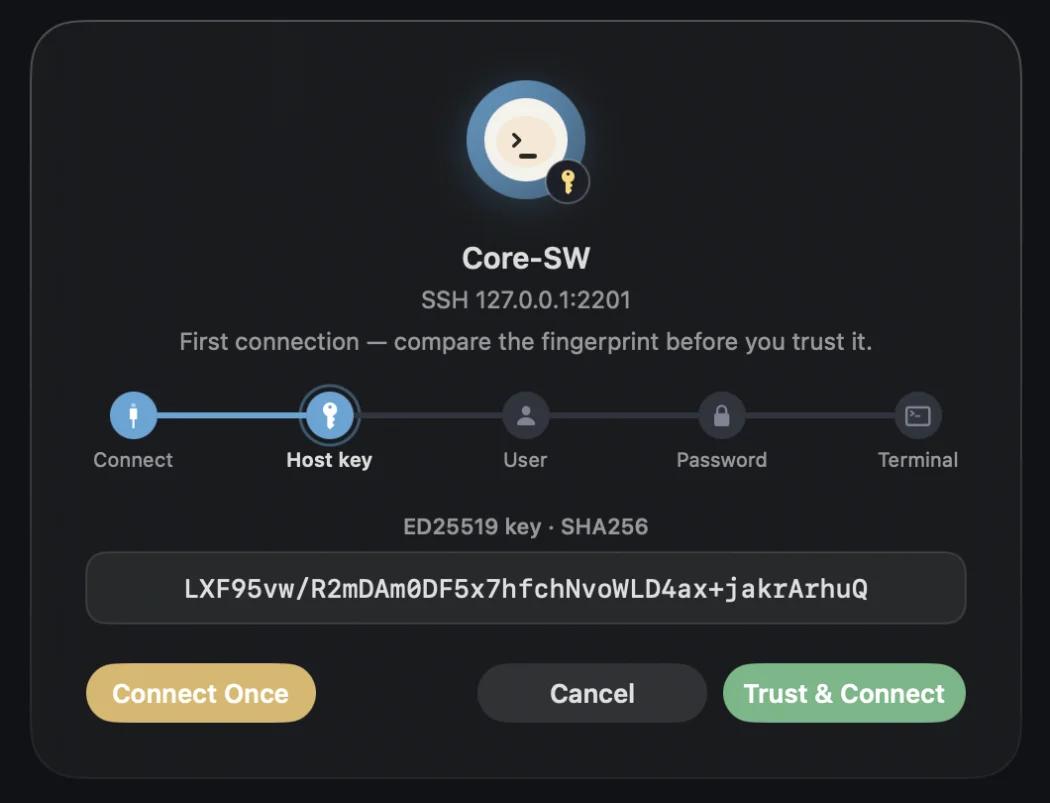
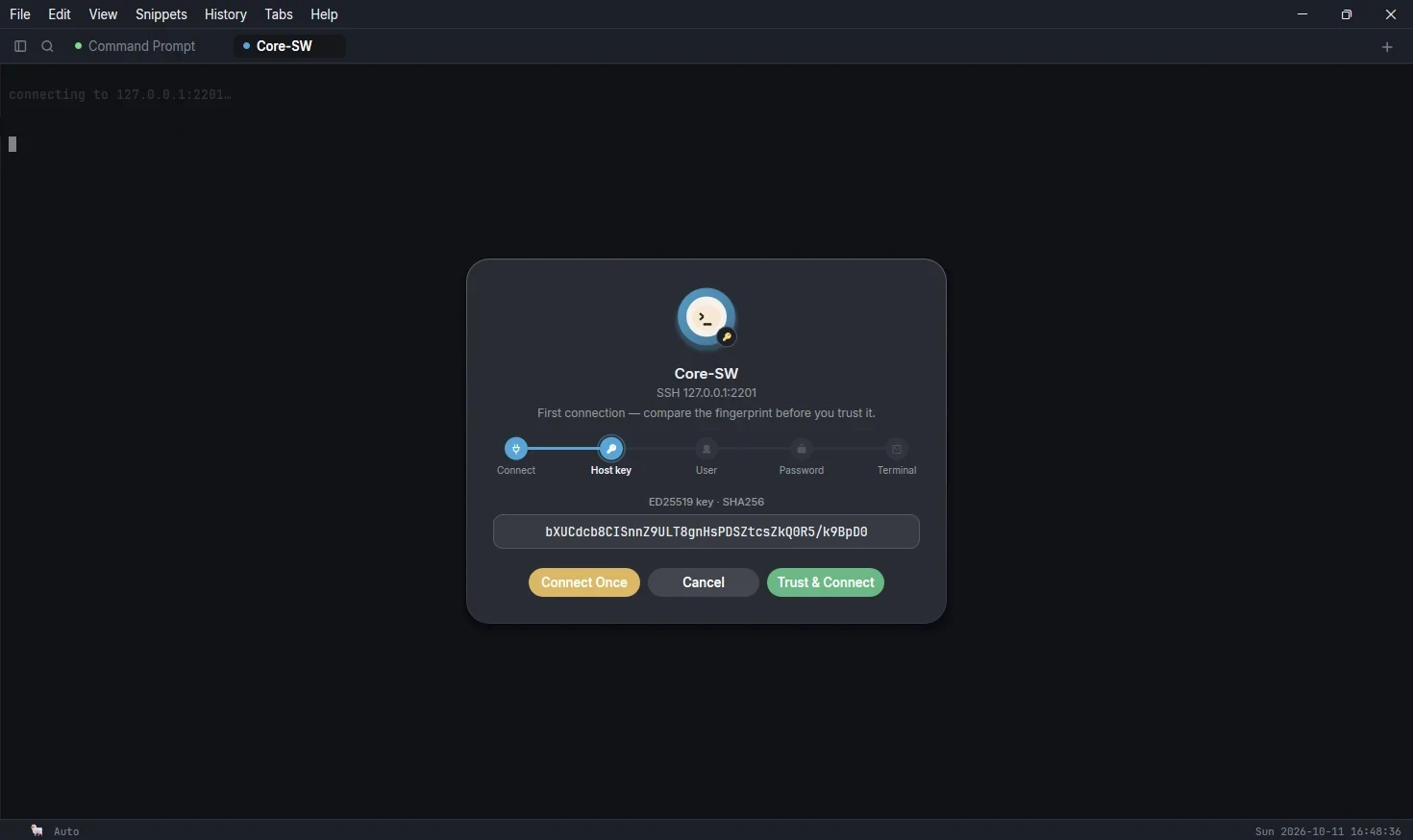
Host key, username and password are asked on a card inside the tab, not a blocking dialog, so several sessions can connect at once. Trust once or connect once.

Connection card asking to trust an ED25519 host key, with a stage track, on macOS
Connection card asking to trust an ED25519 host key, with a stage track, on Windows

Hundreds of hosts, organised

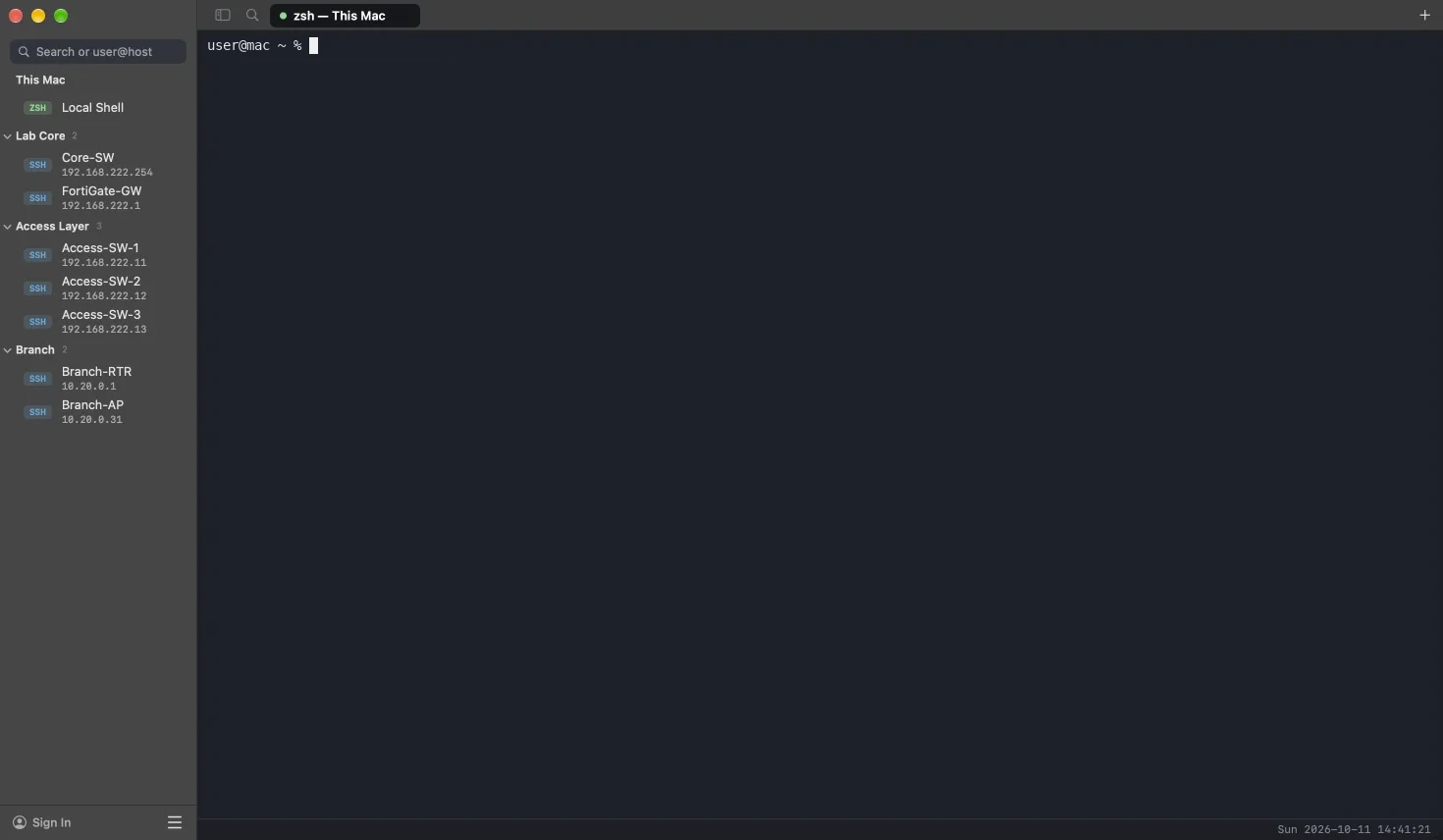
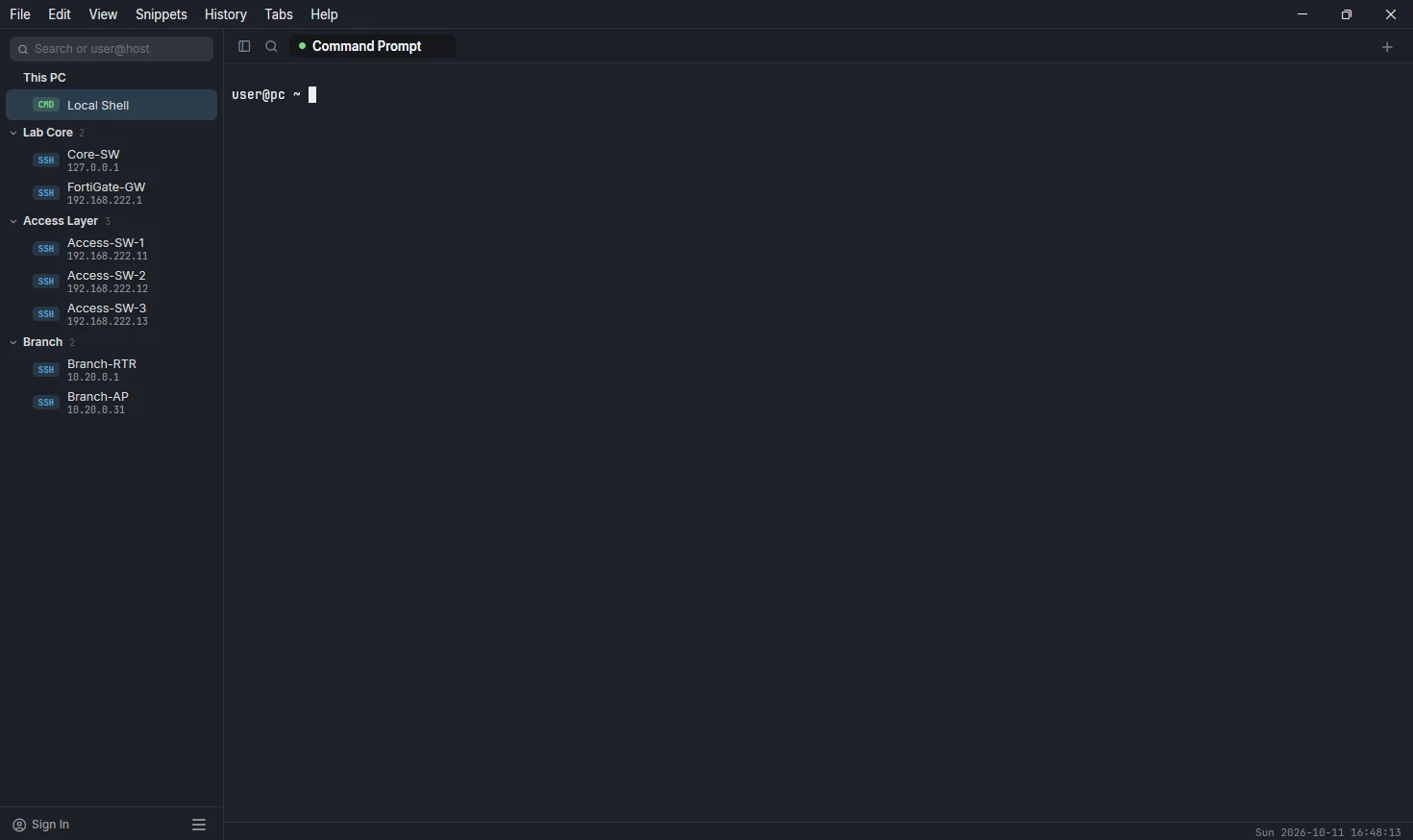
Groups by site and floor, saved credentials you pick once and reuse, and a Local Shell and serial ports beside your SSH hosts. Quick Connect finds anything by name or address.

Sidebar with Lab Core, Access Layer and Branch groups of SSH hosts, on macOS
Sidebar with Lab Core, Access Layer and Branch groups of SSH hosts, on Windows

Split panes

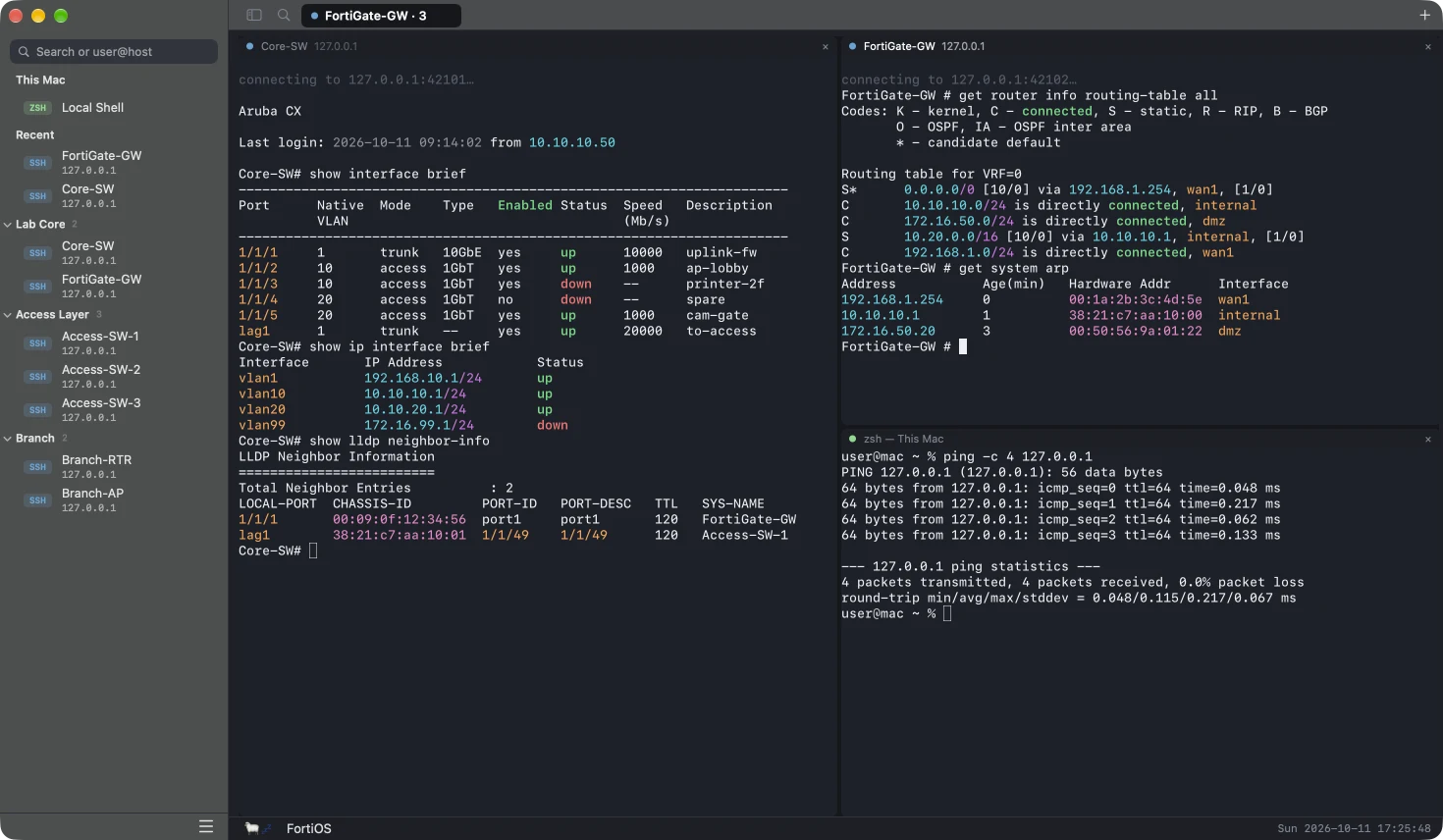
Split a tab right or down to watch several devices side by side. Each pane gets a slim header with its status, name, address and a close button. Drag a header, a tab or a host from the sidebar onto the edge of a pane to place it there, and zoom one pane to fill the tab when you need the room.

SheepTerm on macOS with three panes in one tab: an Aruba CX switch, a FortiGate and a local shell
macOS only capture

Safe multi-line paste

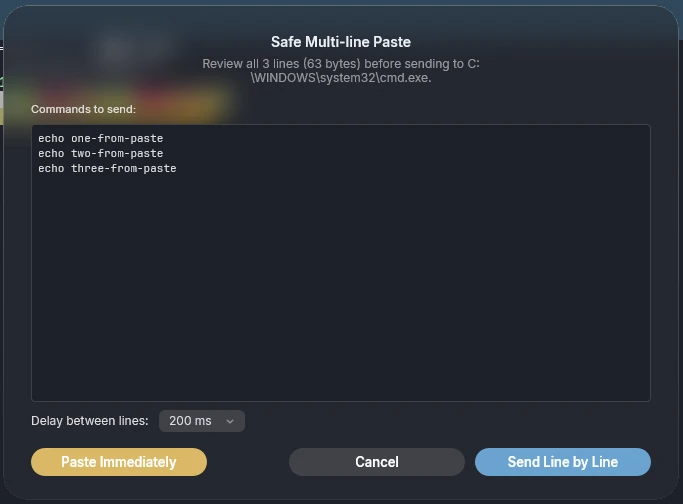
Pasting several lines shows what is about to be sent. Paste immediately, or send line by line with a delay your gear can keep up with.

Safe Multi-line Paste dialog listing three commands and a delay setting
Windows only capture

Serial consoles with Send Break

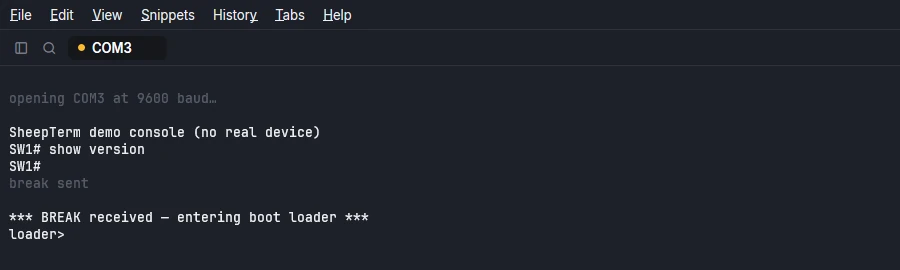
USB serial adapters at your baud rate, and a Send Break to get into a boot loader. The session log and highlighting work the same as over SSH.

Serial console on COM3 after a break, showing a boot loader prompt
Windows only capture

Add a host in one sheet

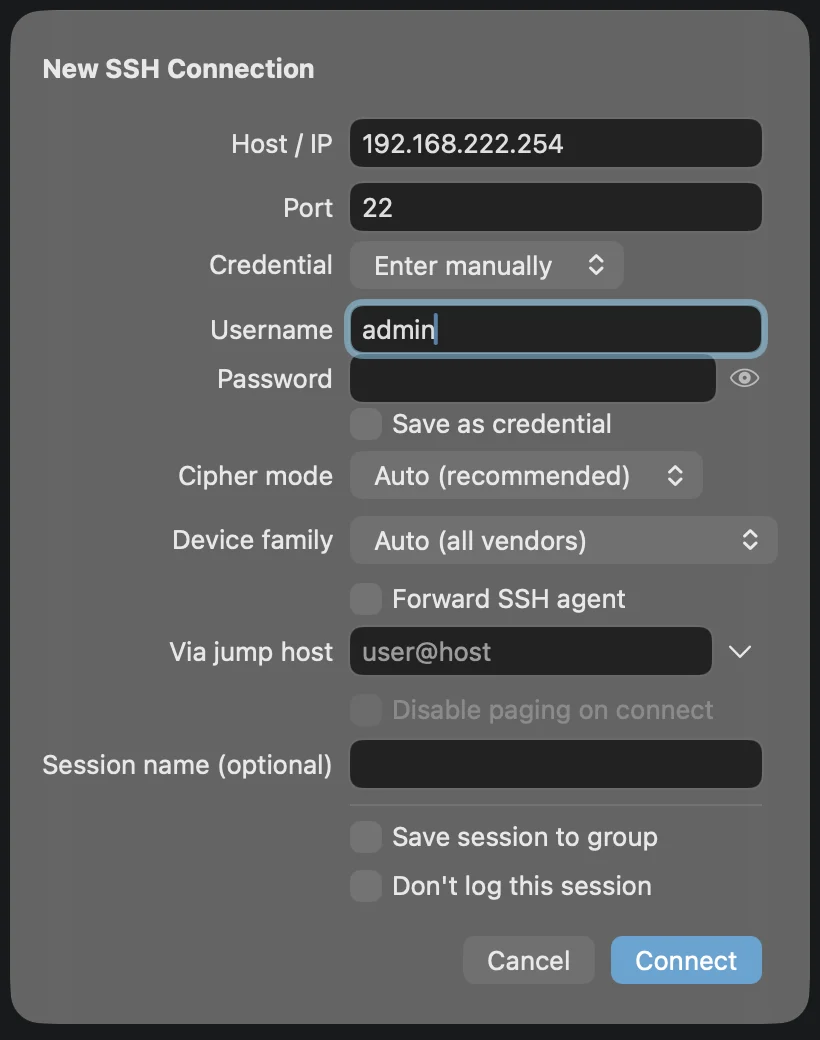
Address, port, credential, cipher mode, device family, jump host and a per-host switch to skip logging, all in one place. Save it to a group or connect once.

New SSH Connection sheet filled in with an address and username
macOS only capture

Make it yours

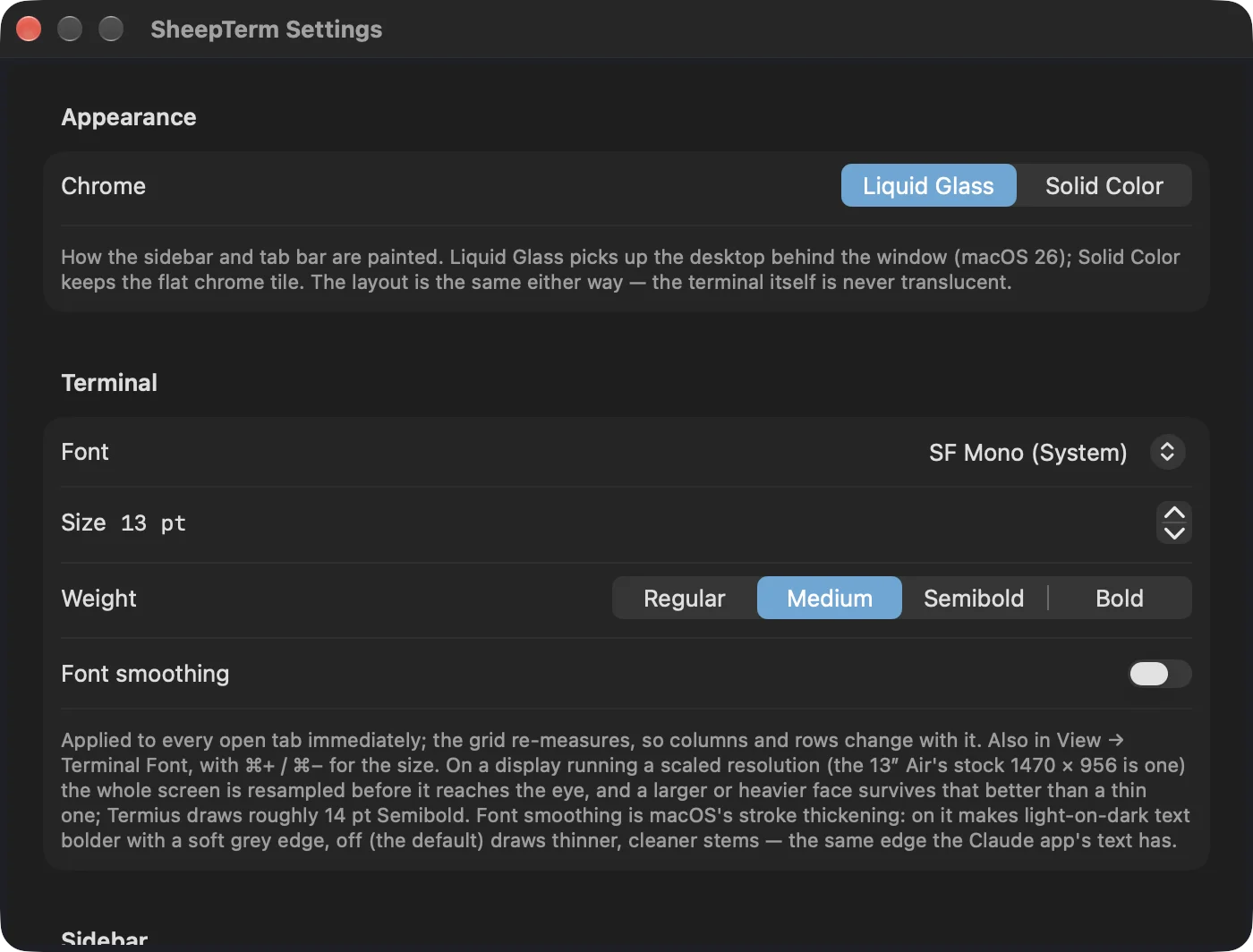
Liquid Glass or solid chrome, your terminal font, size and weight, font smoothing, and more, in one Settings window.

SheepTerm Settings window showing Appearance and Terminal options
macOS only capture

Reach it through a bastion

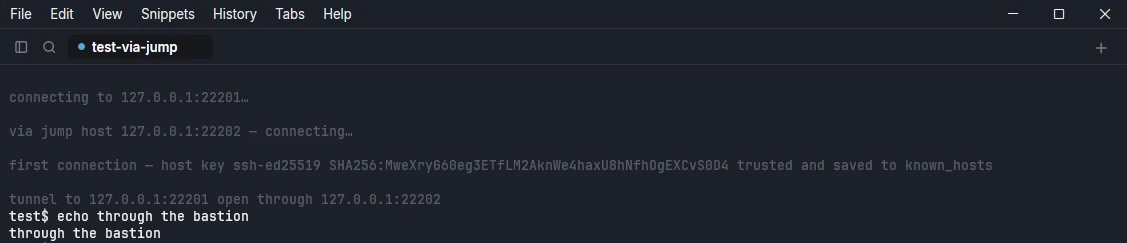
Pick a saved jump host, or type user@bastion and go. The tunnel and the host key are reported in the tab as it opens.

Tab log showing a connection through a jump host and an open tunnel
Windows only capture

Add many hosts at once

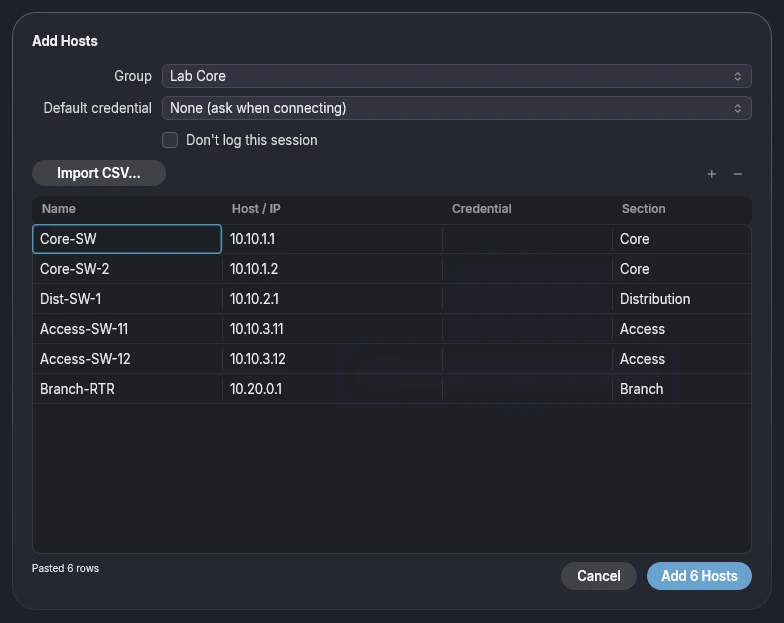
Right-click a group and choose Add Hosts… and paste a block from a spreadsheet or import a CSV, check it in the preview, pick a credential per row and add them all to the group in one go. A CSV whose header does not match is refused with an alert instead of being half-imported.

The Add Hosts sheet with six pasted hosts in a grid, ready to add to the Lab Core group
Windows only capture

Share a group by link Coming soon

Right-click a group, choose Share Link…, pick who it is for and set a passphrase, which is always required. The encrypted link works only with that passphrase and opens in SheepTerm on Mac or Windows. Credentials are optional, you can revoke the link or let it expire at any time, and nothing is readable by Google or by anyone holding just the link. Not available yet.

Coming soonShare a group by link
  • Right-click a group, then Share Link…
  • A passphrase is always required
  • Credentials optional; revoke or let it expire

Install

Get started in a minute

macOS

  1. Unzip the download and drag SheepTerm.app into Applications.
  2. The build is not notarized. On first launch, right-click the app, choose Open, then confirm.
  3. Or run once in Terminal: xattr -dr com.apple.quarantine /Applications/SheepTerm.app
  4. Requires macOS 26.4 (Tahoe) or later · Apple Silicon.

Windows

  1. SheepTerm for Windows is a portable zip. Unzip it into a folder of your own, not Downloads.
  2. Run SheepTerm.exe. If SmartScreen appears, choose More info, then Run anyway.
  3. Requires Windows 10 or 11, x64.
  4. Your data stays in the Data folder beside the exe. Updates are built in.

Download SheepTerm


More Sheep apps