

Sheep family · Free
Every address, one click away
A quiet menu-bar utility. One card per active interface with IP, mask, gateway, DNS and MAC. Click any value to copy it.
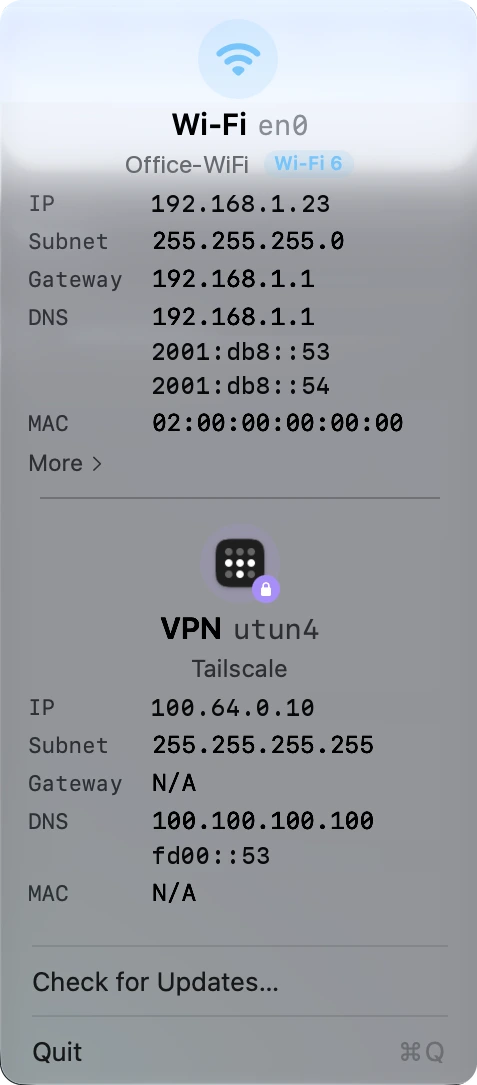
One card per interface. Sits in the menu bar. Click it for one card per active interface, sorted Wi-Fi, Ethernet, VPN, each with IP, subnet mask, gateway, DNS servers and MAC. Wi-Fi cards show the SSID. Check for Updates and Quit sit at the bottom.
Features
What it does
Click to copy
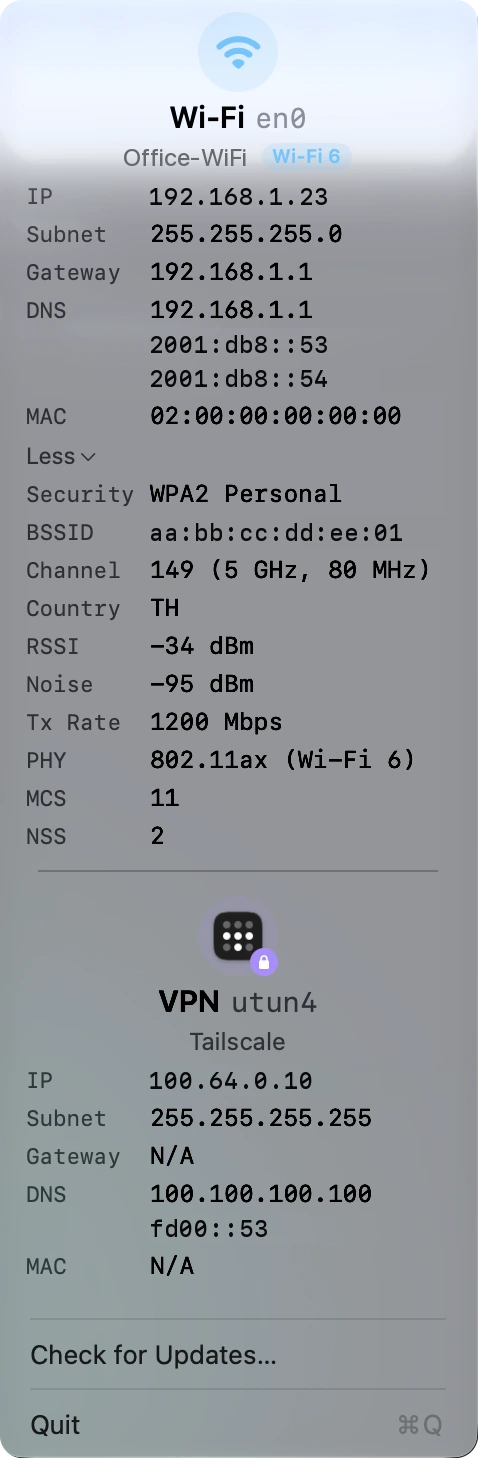
Click an address and it goes to the clipboard, with a Copied flash so you know it worked. On a Wi-Fi card, More opens Security, BSSID, Channel, Country, RSSI, Noise, Tx Rate, PHY, MCS and NSS.
Also
- Quiet and private No network requests, no analytics, no third-party dependencies, and it is fully sandboxed. It updates live from system notifications and costs almost nothing while the menu is closed. Launch at login is set up on first run.
Install
Get started in a minute
macOS
- Unzip the download and drag SheepTap.app into
Applications. - The build is not notarized. On first launch, right-click the app, choose Open, then confirm.
- Or run once in Terminal:
xattr -dr com.apple.quarantine /Applications/SheepTap.app - Requires macOS 26.4 (Tahoe) or later · Apple Silicon.
Download SheepTap
More Sheep apps
 SheepTerm
 SheepText
 SheepDrop
 SheepPing
 LabDC
LabDC LabDock