

Sheep family · Free
Is it up yet?
Paste a list of IPs or hostnames and watch every one of them in a colour-coded table, with per-host logs and CSV export.
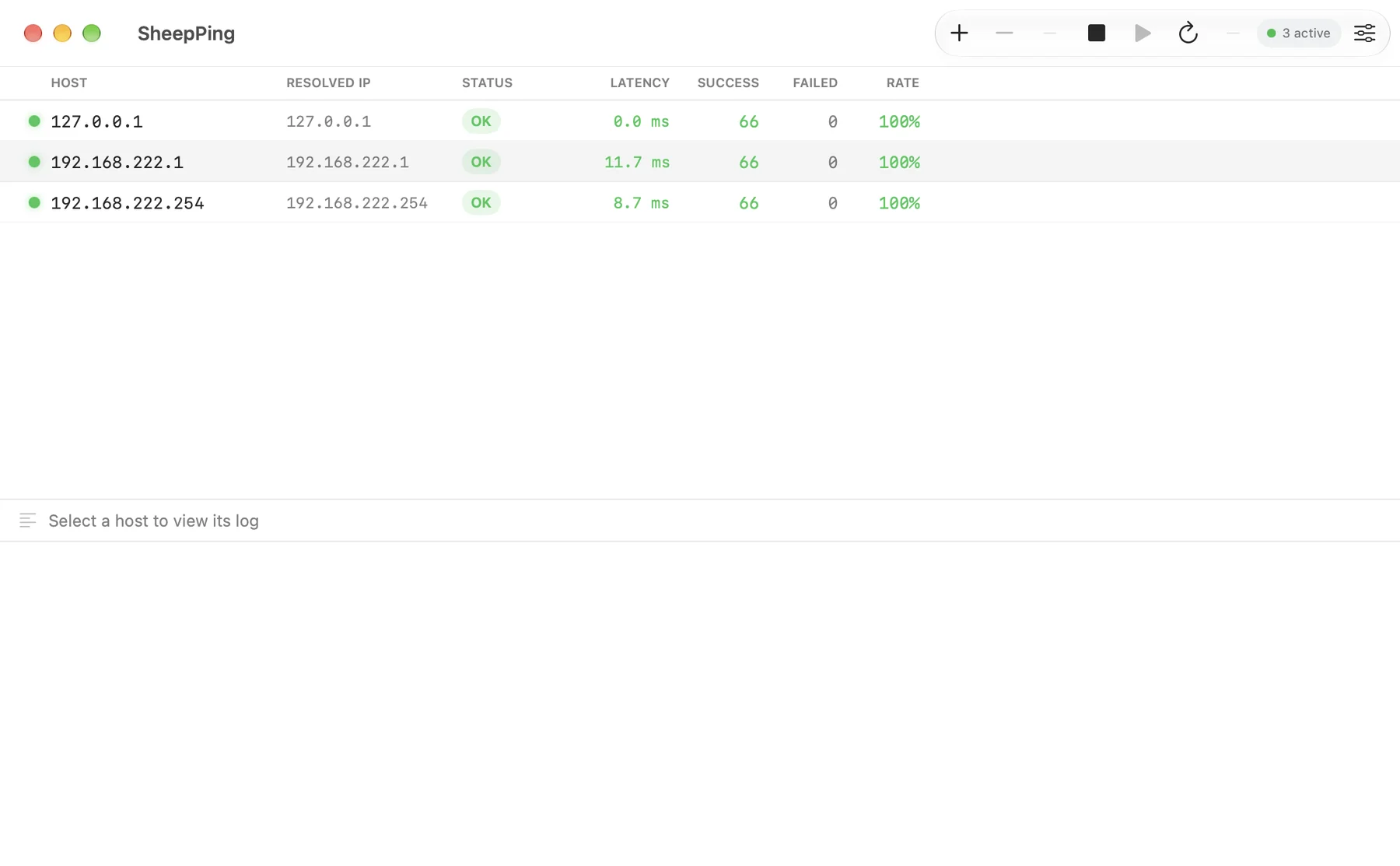
Many hosts, one table. IPv4 and IPv6, by address or hostname, with live status, latency and success rate. Latency and loss are colour-coded so the bad one stands out.
Features
What it does
Also
- Per-host logs and CSV Every packet is logged with a timestamp. Copy a host's log, save it as CSV, or copy the whole table as CSV.
- Tune it live A slider sets the ping interval from 0.5 to 30 seconds and another sets the reply timeout. Changes apply immediately to all active hosts and are saved as the default.
Install
Get started in a minute
macOS
- Unzip the download and drag SheepPing.app into
Applications. - The build is not notarized. On first launch, right-click the app, choose Open, then confirm.
- Or run once in Terminal:
xattr -dr com.apple.quarantine /Applications/SheepPing.app - Requires macOS 26.4 (Tahoe) or later · Apple Silicon.
Download SheepPing
More Sheep apps
 SheepTerm
 SheepText
 SheepDrop
 SheepTap
 LabDC
LabDC LabDock